Skip to content


Broken links, outdated URLs, and page migrations can quietly drain your traffic, hurt your SEO rankings, and frustrate visitors who simply can’t find what they’re looking for. Every time someone lands on a 404 error page, you risk losing a potential customer or loyal reader. The good news? You can fix these issues instantly with a reliable WordPress URL redirect plugin.
With the right tool, you can automatically guide visitors to the correct pages, protect your search rankings, improve user experience, and keep your website running smoothly—even if you’re not a techy person.
Why URL Redirects Are Important?
Redirects are more than just “fixing links.” They directly influence how search engines and visitors experience your site.
1. SEO Impact
Broken links tell Google your site is poorly maintained, which can lead to lower rankings. Redirects preserve your SEO by passing link authority (especially 301 redirects).
2. Better User Experience
Visitors who hit a “404 Page Not Found” often leave immediately. Redirects take them to the right page automatically.
3. Site Migration or WordPress Change URL
If you’ve ever changed a permalink, deleted a page, or moved to a new domain, you already know the chaos it can create. A WordPress URL redirect plugin ensures visitors are smoothly redirected without errors.
Also, read about the most common errors in WordPress
Top WordPress URL Redirect Plugins (Beginner-Friendly)
Below are the best plugins that make it easy to manage redirects even if you’ve never touched code.
| Plugin Name | Best For | 404 Monitoring | Free Version | Difficulty |
|---|---|---|---|---|
| Redirection | Beginners & general use | Yes | Yes | Easy |
| Rank Math | SEO + redirects | Yes | Yes | Easy |
| Yoast Premium | Non-technical users | Yes | No | Very Easy |
| Simple 301 Redirects | Quick redirects | No | Yes | Very Easy |
| AIOSEO Pro | Advanced users | Yes | No | Medium |
1. Redirection (Free)

This is one of the most popular plugins for managing URL redirects. It is simple enough for beginners yet powerful enough for more advanced users. You get features like 404 tracking, detailed logs, and automatic redirect suggestions in Redirection.
Key Features:
- Create 301, 302, 307 redirects
- Automatic tracking of 404 errors
- Redirect logs
- Import/export redirects
- Works even without modifying .htaccess
Pros:
- Completely free
- Easy to use
- Powerful 404 monitoring
Cons:
- Interface can feel slow on large sites
- Not ideal for enterprise-level filtering
Free / Paid: 100% free
Step-by-Step Setup:
- Go to WordPress Dashboard → Plugins → Add New
- Search “Redirection”
- Install & Activate
- Go to Tools → Redirection
- Click “Add New” and enter:
- Source URL: /old-page
- Target URL: /new-page
- Type: 301 Permanent
- Save
2. Rank Math SEO (Free + Pro)

Tools like Rank Math are more than just a redirect tool—it’s a complete SEO suite. Its redirect module integrates smoothly with the rest of the plugin, making it perfect for site owners who want everything in one place.
Key Features:
- Simple redirect creation
- Auto-redirect for changed slugs
- 404 monitor
- Bulk redirect import
- Conditional redirects (Pro)
Pros:
- All-in-one SEO + redirects
- Easy for beginners
- Excellent 404 detection
Cons:
- Might feel heavy if you only need redirects
Free / Paid: Both available
3. Yoast Premium Redirect Manager (Paid)

Yoast’s redirect manager comes bundled with their premium plan. It’s designed to be extremely simple, making it ideal for non-technical users.
Key Features:
- Automatic redirect suggestions
- Bulk redirect management
- Regex redirect support
- Built-in 404 redirect assistant
Pros:
- Very beginner-friendly
- Integrates fully with Yoast
Cons:
- Only available in the Premium version
Price: Included with Yoast Premium
4. Simple 301 Redirects (Free)
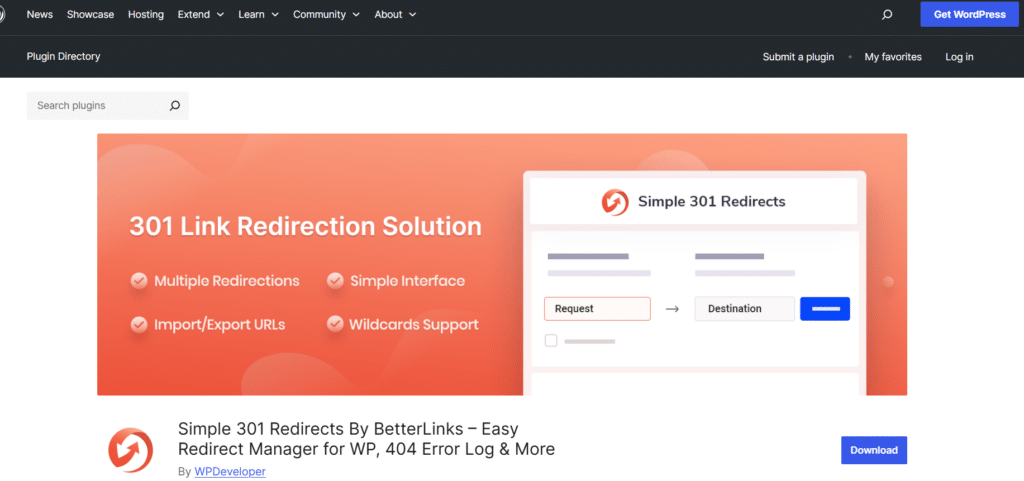
The simple 301 redirect plugin focuses solely on basic redirect functionality. It is lightweight, easy to use, and perfect if you only need a few manual redirects.
Key Features:
- One-page redirect list
- Simple interface
- Works for basic redirects
Pros:
- Extremely easy
- Lightweight
Cons:
There’s no
- 404 monitoring
- Logs
- Advanced features
Free / Paid: Free
5. All-in-One SEO (AIOSEO) Redirects (Pro)

AIOSEO’s redirect manager is designed for advanced sites that require automation and detailed monitoring. This is a premium tool but offers a full suite of redirect capabilities.
Key Features:
- 301, 302, 307 redirects
- Automatic redirects after page URL changes
- Import from .htaccess
- Redirect logs
- 404 error tracking
Pros:
- Advanced monitoring
- Clean design
Cons:
- Redirect manager is Pro-only
Price: Part of AIOSEO Pro
How to Choose the Right WordPress URL Redirect Plugin?
When selecting a plugin, consider:
- Your site size: Bigger sites need logging + automation.
- Ease of use: Beginners often prefer Redirection or Rank Math.
- Features you need: 404 tracking, auto-redirect, logs, regex.
- Budget: Free plugins work great, but paid options add automation.
Recommendation for Most Beginners: Use Redirection.
Recommendation for SEO-focused site owners: Use Rank Math or AIOSEO.
Step-by-Step Tutorial: How to Set Up Redirects Using the Redirection Plugin
This example uses the free Redirection plugin, perfect for beginners.
Step 1: Install the Plugin
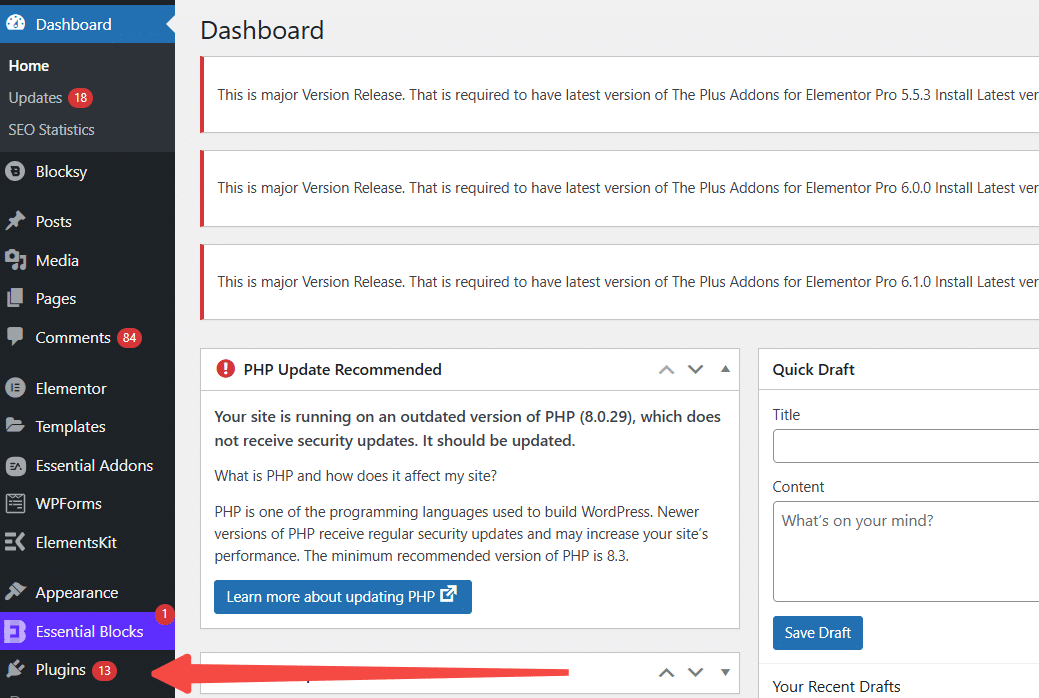
1. Go to Dashboard
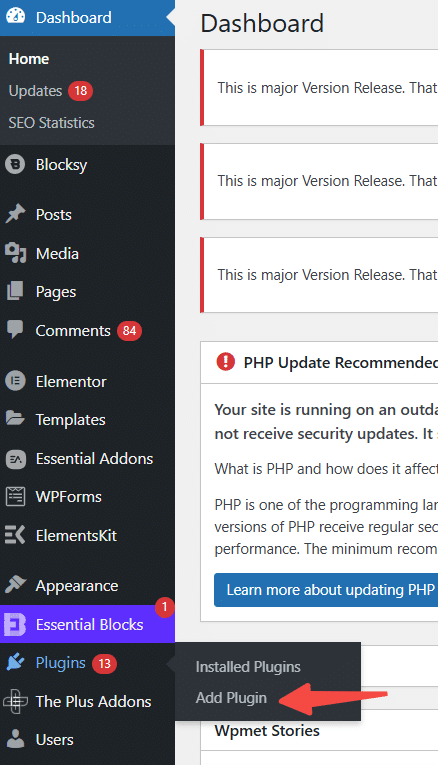
2. Then go to Plugins → Add New
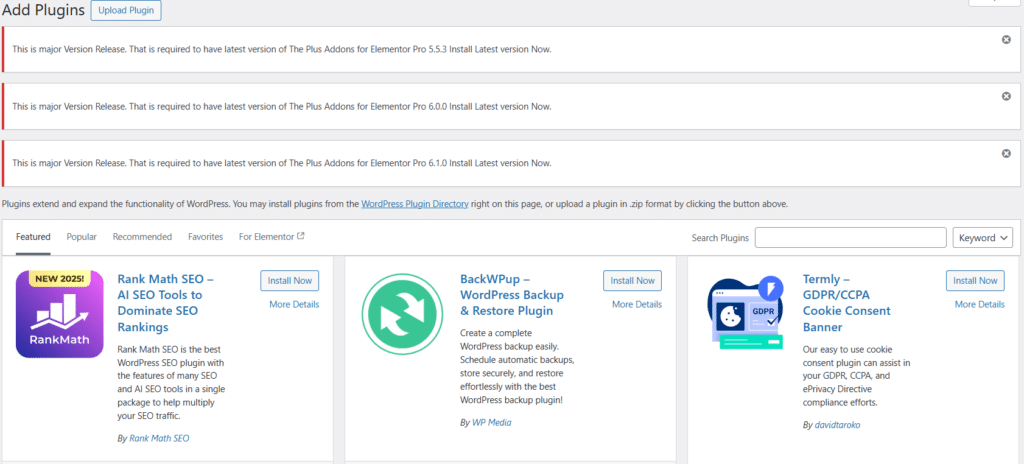
3. Search for the right plugin, click Install → Activate
Step 2: Add Your First Redirect
- Go to Tools → Redirection
- Select “Add New”
- Enter your URLs:
- Source URL: /old-service-page
- Target URL: /new-service-page
- Choose redirect type: 301 (Permanent)
- Save
That’s it—your redirect is live!
Conclusion
Using a reliable WordPress URL Redirect Plugin protects your SEO, keeps visitors happy, and prevents traffic loss. Whether you’re changing permalinks, migrating pages, or cleaning up outdated URLs, a redirect plugin ensures your site stays healthy and optimized.
Try one of the plugins above and fix your broken links today.
If you need expert help maintaining your website, consider WP Enchant, a trusted name in WordPress maintenance services.
Frequently Asked Questions (FAQs)
What does a WordPress URL redirect plugin actually do?
A redirect plugin automatically sends users from an outdated or broken URL to the correct page. This prevents 404 errors, protects your SEO rankings, and improves user experience by ensuring visitors always reach the content they’re looking for.
Which redirect plugin is the best for beginners?
For most beginners, Redirection is the easiest and most reliable option. It’s free, simple to set up, and includes features like automatic redirect creation, 404 tracking, and activity logs.
Do URL changes affect my SEO?
Yes, but only if you don’t set up redirects. When you change a page’s URL, delete a post, or restructure your site, search engines may see those URLs as missing. Using a redirect plugin ensures your SEO value carries over to the new URL.
Is it harmful to delete pages without redirecting them?
Deleting pages without redirects creates dead links, which can hurt both SEO and user experience. Redirecting that deleted URL to a relevant page helps maintain link equity and reduces bounce rates.
Can I create multiple redirects at once?
Absolutely. Plugins like Rank Math and AIOSEO let you bulk-import redirects using CSV files, making them ideal for website migrations and large content reorganizations.
References
1: WordPress.org, “Redirection,” https://wordpress.org/plugins/redirection/
2: Semrush, “How to Redirect URLs on WordPress,” 2025. https://www.semrush.com/blog/wordpress-redirects/
3: RankMath, “How to Set Up Redirections, ” https://rankmath.com/kb/setting-up-redirections/
4: AIOSEO, ” How to Set Up Automatic Redirects in WordPress, ” 2024. https://aioseo.com/how-to-set-up-automatic-redirects-in-wordpress/