Skip to content


Artificial intelligence is rapidly transforming how website owners build, optimize, and manage their sites—and nowhere is this more evident than AI in WordPress. Whether you run a blog, an e-commerce store, a membership site, or an agency, AI tools can automate workflows, improve content quality, boost SEO, and dramatically reduce operating costs.
According to a 2025 WP Engine survey, more than 62% of WordPress users now rely on AI-driven tools for content, design, or automation tasks. Meanwhile, Gartner reports that AI adoption in CMS platforms has grown 270% over the last four years, driven by efficiency demands and automation improvements.
In this guide, you’ll learn how to use AI in WordPress to save time, reduce expenses, and streamline your site management with practical strategies and recommended tools.
What AI Can Do for Your WordPress Website?
AI can transform your WordPress site by automating tasks that normally take a lot of time and effort. It can generate blog posts, product descriptions, and SEO‑friendly metadata, as well as improve old content for better readability and rankings. AI also helps with SEO by suggesting keywords, identifying optimization opportunities, and offering real‑time improvements. On the visual side, it can create images, enhance graphics, compress files, and generate alt text to improve both performance and accessibility.
Beyond content, AI strengthens your site’s functionality and user experience. Chatbots can provide instant customer support, while security tools detect threats, malware, and suspicious activity. AI also handles routine maintenance like backups, link checks, and performance monitoring, reducing manual work.
Additionally, it personalizes content and recommendations for visitors and speeds up design and development by generating layouts and design suggestions, helping you build a more engaging and professional website with ease.
Ways to Use AI in WordPress
AI is changing the way WordPress site owners create content, manage SEO, handle support, and maintain their websites. Whether you run a blog, online store, or business site, AI tools can automate repetitive tasks, cut operational costs, and help you work faster with less effort.
Below are five practical ways you can start using AI in WordPress today. These methods are simple to set up and can make a measurable impact on your website’s performance and workflow.
1. Use AI for Content Creation and Optimization

One of the most common uses of AI in WordPress is content generation. AI tools can help you create blog posts, product descriptions, landing pages, and SEO-optimized content in minutes.
Practical Ways to Use AI for Content
- Generate SEO-optimized articles directly inside WordPress
- Rewrite and improve old content to boost rankings
- Auto-create meta descriptions and titles
- Generate product descriptions for WooCommerce
- Create content outlines and keyword lists
Recommended AI Content Tools for WordPress
- Jetpack AI Assistant
- Rank Math Content AI
- AI Engine by Meow Apps
- Surfer SEO AI Writing Integration
- Yoast SEO AI Snippet Generator
Why It Saves Time and Money
Businesses report saving up to 70% of content creation time by using AI-assisted writing tools. That means more content, faster, without needing to hire extra writers.
2. Use AI to Improve SEO and Keyword Research
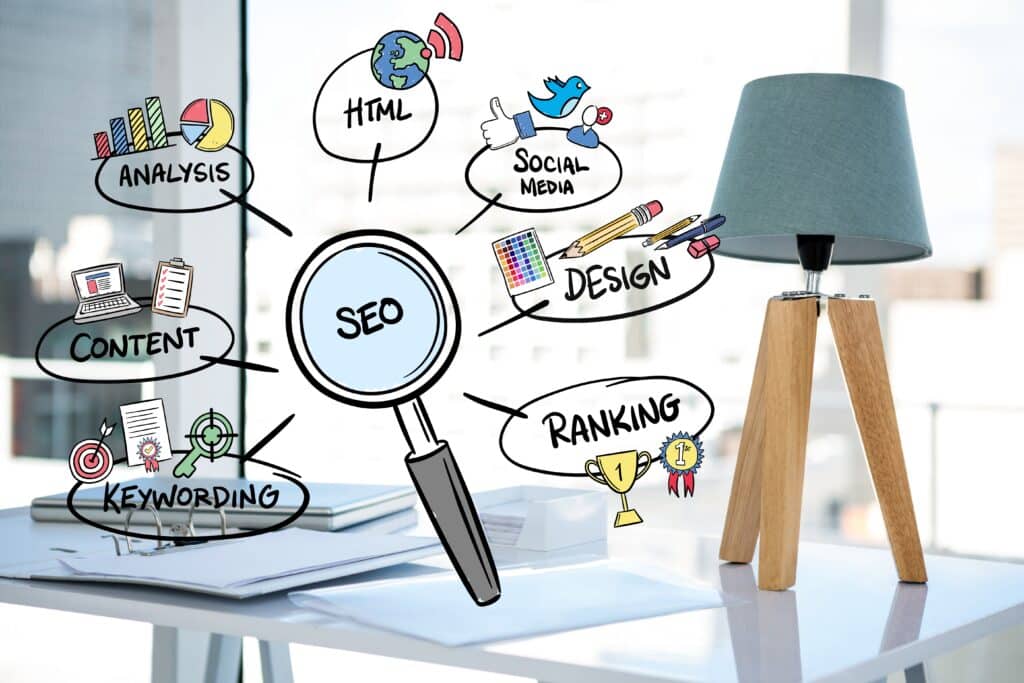
If you’ve struggled with SEO, AI tools can help automate optimization, keyword research, and site-wide SEO audits. This is one of the most effective ways to leverage how to use AI in WordPress for ranking improvements.
How AI Helps With SEO
- Automated keyword clustering and topic suggestions
- AI-powered internal linking recommendations
- Content scoring and readability analysis
- Real-time SEO audits
- Schema markup generation
Tools for AI-Powered SEO
- Rank Math Content AI
- Yoast SEO AI Features
- Surfer SEO
- Ahrefs and Semrush AI SEO Enhancements
AI SEO Impact
SEO teams using AI see 35% faster optimization workflows and improved ranking consistency.
3. Use AI for Image Generation and Media Enhancement

AI visual tools can generate images, alt text, featured images, and even custom graphics from inside WordPress. This reduces reliance on stock photos and graphic designers.
Use Cases for AI Image Tools
- Generate blog featured images
- Create product photos for WooCommerce
- Produce social media graphics
- Auto-generate image alt text for accessibility and SEO
- Enhance or remove backgrounds from images
Best Tools
- Jetpack AI Image Generator
- Canva AI (export to WordPress)
- Midjourney (integrated via automation)
- Imagify AI optimization
- Stable Diffusion WordPress plugins
Why It Matters
AI-generated images reduce design costs by 40–60%, depending on your content needs.
4. Use AI to Automate Customer Support

Customer support automation is one of the most powerful applications of AI in WordPress, especially for e-commerce and membership sites.
Ways AI Helps With Support
- AI chatbots answer common questions
- Automated email replies
- Support ticket triage
- AI voice assistants for accessibility
- Knowledge base auto-generation
Tools to Try
- Tidio AI Chatbot
- ChatBot.com WordPress Integration
- HubSpot AI Live Chat
- WPBot
- Support Board AI
AI chatbots can reduce support requests by up to 50%, saving businesses thousands annually on customer service costs.
5. Use AI to Automate Website Maintenance and Security

AI tools can predict vulnerabilities, optimize performance, and automate routine maintenance tasks—an overlooked but highly valuable use case when learning how to use AI in WordPress.
Maintenance Tasks AI Can Automate
- Malware detection
- Performance optimization
- Broken link monitoring
- Automatic backups
- Traffic anomaly detection
Best Tools
- Wordfence AI Threat Detection
- iThemes Security Pro AI Enhancements
- ManageWP AI Performance Tools
- Jetpack Protect
Sites using AI monitoring experience 29% fewer security incidents and catch threats 3x faster than manual checking.
Best AI Tools for WordPress
| Tool | Best For | Key Features | Pricing |
|---|---|---|---|
| Jetpack AI | Content + Images | AI writing, image generation, SEO | $10–$25/mo |
| Rank Math Content AI | SEO | Keyword research, content scoring | $9–$29/mo |
| Tidio AI Chat | Support | Chatbot, automation workflows | Free–$49/mo |
| AI Engine | General AI tools | Chatbots, content, automation | Free–$29/mo |
| Wordfence AI | Security | Threat detection, monitoring | $99/yr |
- Jetpack AI
Jetpack AI is one of the most beginner‑friendly AI assistants available for WordPress. It integrates seamlessly into the block editor, making it ideal for rapid content generation, rewriting sections, summarizing long posts, or creating SEO‑friendly titles and meta descriptions. It’s built‑in AI image generator helps produce unique visuals without relying on stock photos.
- Rank Math Content AI
Rank Math’s Content AI is an excellent option if your main focus is SEO. It analyzes your content, suggests keywords you should target, and provides real‑time optimization insights. Content scoring helps ensure each article is search‑optimized before publishing, making this plugin valuable for blogs and affiliate sites.
- Tidio AI Chat
Tidio combines live chat and AI automation, making it powerful for e-commerce sites and service providers. Its AI chatbot can instantly answer customer queries, recommend products, and escalate complex issues to a live agent. This reduces support workload and improves response times.
- AI Engine (by Meow Apps)
AI Engine is one of the most versatile AI plugins available. It lets you build custom chatbots, create prompts, generate content, and even develop mini AI apps directly inside WordPress. Advanced users can take advantage of fine‑tuned models, internal memory, and automation workflows.
- Wordfence AI
Wordfence AI enhances traditional WordPress security by using machine learning to detect threats, behavioral anomalies, and suspicious requests in real time. It provides advanced protection without requiring manual rule updates. Great for high-traffic sites or businesses that prioritize security.
Estimated Time and Cost Savings Using AI in WordPress
Using AI in WordPress delivers measurable time and cost savings by automating tasks that typically require manual effort or hired support. From content creation and SEO to customer service and site maintenance, AI tools significantly reduce the hours spent on routine work—often cutting workloads by more than 50%.
These efficiencies not only speed up production but also lower operational expenses, allowing site owners to reinvest time and money into growth-focused activities like marketing, product development, or audience engagement.
| Task | Time Saved Per Month | Cost Savings Estimate |
|---|---|---|
| Content writing | 20–40 hours | $400–$1,200 |
| SEO optimization | 10–15 hours | $300–$700 |
| Customer support | 15–30 hours | $300–$900 |
| Image creation | 5–10 hours | $150–$400 |
| Site maintenance | 5–20 hours | $100–$500 |
FAQs About AI in WordPress
How can AI save time in WordPress?
AI automates repetitive tasks like writing content, generating images, managing SEO, and handling customer support—saving many site owners 20–80 hours per month.
Is using AI expensive in WordPress?
Most AI tools offer free versions. Premium tools typically cost $10–$30 per month, far less than hiring writers, support agents, or developers.
Does AI replace human writers or designers?
No, but AI enhances their productivity. Think of AI as a co-pilot that speeds up content creation and design work.
Conclusion
AI is no longer a luxury—it’s becoming essential for running a modern WordPress site. By integrating AI for content creation, SEO, design, customer support, and maintenance, site owners can save hours each week and significantly reduce operational costs. Whether you’re a beginner or advanced user, now is the perfect time to experiment with AI in WordPress and start improving your workflow.
If you want to scale smarter, improve quality, and save money, begin applying the tools and strategies above—you’ll quickly see the difference.
References
1: WP Engine, “WP Engine’s 2025 Website Traffic Trends Report, ” 2026. https://wpengine.com/resources/website-traffic-trends-findings/
2: Gartner, “Enterprise use of AI grew 270% over the past 4 years, ” 2019. https://venturebeat.com/technology/gartner-enterprise-ai-implementation-grew-270-over-the-past-four-years
3: Elementor, “26 AI SEO Statistics for 2026 & Insights They Reveal,” 2025. https://elementor.com/blog/ai-seo-statistics/
4: SEO, “AI SEO Statistics in 2026: AI SEO Trends and Insights, ” 2025. https://www.seo.com/ai/ai-seo-statistics/
5: Wozuma, “Exploring The Pros and Cons of AI-Generated Images, ” 2024. https://wozuma.com/pros-and-cons-of-ai-generated-images/