Skip to content


Mobile devices generate 64.35% of global website traffic as of 2025, making mobile optimization essential for WordPress success. With Google’s mobile-first indexing now prioritizing mobile versions for search rankings, learning how to make WordPress site mobile friendly is crucial for every website owner.
WPEnchant, serving thousands of WordPress websites through comprehensive maintenance and optimization services, has analyzed the mobile optimization challenges facing WordPress sites today. The shift toward mobile-first web browsing means that if your WordPress site isn’t optimized for smartphones and tablets, you’re likely losing both traffic and conversions.
This comprehensive guide will show you exactly how to make your WordPress site mobile friendly using proven techniques, responsive themes, and optimization plugins that ensure your site performs flawlessly across all mobile devices.
Quick Answer: Best Ways to Make WordPress Mobile Friendly
The fastest way to make WordPress site mobile friendly is to use a responsive theme, optimize images for mobile loading, and implement a mobile-friendly navigation structure.
Key steps include:
- Choose a responsive WordPress theme
- Optimize images and media files
- Implement mobile-friendly navigation
- Configure mobile optimization plugins
- Test mobile performance regularly
| Method | Difficulty | Time Required | Impact Level |
|---|---|---|---|
| Responsive Theme | Easy | 1-2 hours | High |
| Image Optimization | Medium | 2-3 hours | High |
| Mobile Plugins | Easy | 30 minutes | Medium |
| Navigation Setup | Medium | 1 hour | Medium |
| Speed Optimization | Advanced | 3-4 hours | High |
How to Make WordPress Site Mobile Friendly: Step-by-Step Guide
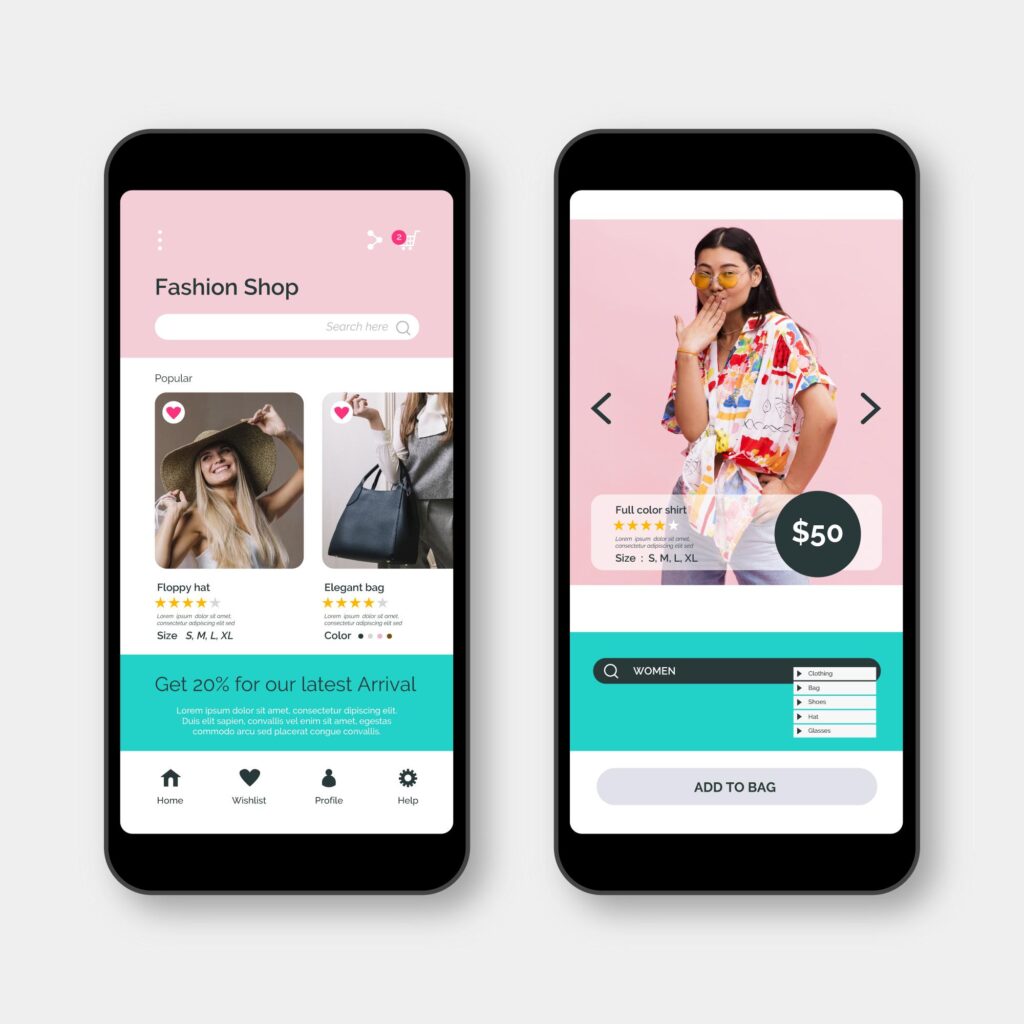
Step 1: Choose a Mobile-Responsive WordPress Theme
A responsive WordPress theme automatically adapts to different screen sizes, providing the foundation for mobile optimization.
Popular mobile-responsive themes include:
- Astra: Lightweight theme with mobile-first design
- GeneratePress: Fast-loading responsive framework
- OceanWP: Mobile-optimized multipurpose theme
- Kadence: Advanced responsive customization options
How to verify theme responsiveness:
- Visit your WordPress dashboard
- Go to Appearance → Themes
- Preview themes on mobile devices
- Check the theme documentation for mobile features
- Test responsiveness using browser developer tools
WPEnchant recommends choosing themes specifically designed with mobile-first principles, ensuring your site looks professional across all devices.
Step 2: Optimize Images for Mobile Devices
Large images slow mobile loading times and consume mobile data, making image optimization essential for mobile-friendly WordPress sites.
Image optimization techniques:
- Use WebP format: 25-30% smaller file sizes
- Implement lazy loading: Load images only when visible
- Compress images: Maintain quality while reducing size
- Serve responsive images: Different sizes for different screens
Recommended image optimization plugins:
- Smush Pro
- ShortPixel
- Optimole
- EWWW Image Optimizer
Read our article on image optimization best practices for a broader overview
Step 3: Configure Mobile-Friendly Navigation
Mobile navigation should be simple, touch-friendly, and easily accessible with thumbs.
Mobile navigation best practices:
- Use the hamburger menu for main navigation
- Implement sticky navigation bar
- Ensure menu items are large enough for touch
- Reduce navigation depth to 2-3 levels maximum
- Add search functionality prominently
Most modern WordPress themes include mobile navigation options. To customize:
- Navigate to Appearance → Customize
- Find Menu or Navigation settings
- Enable mobile menu options
- Test touch targets on actual devices
Step 4: Install Mobile Optimization Plugins
WordPress plugins can enhance mobile functionality without requiring coding knowledge.
Essential mobile optimization plugins:
| Plugin | Purpose | Free/Paid |
|---|---|---|
| WPtouch | Mobile theme converter | Free |
| AMP | Accelerated Mobile Pages | Free |
| WP Rocket | Mobile caching | Paid |
| LiteSpeed Cache | Mobile optimization | Free |
| Autoptimize | CSS/JS optimization | Free |
WPEnchant frequently implements these plugins for clients seeking to make WordPress site mobile friendly without extensive development work.
Step 5: Optimize Site Speed for Mobile
Mobile users expect pages to load within 3 seconds, making speed optimization critical.
Mobile speed optimization techniques:
- Enable caching plugins
- Minimize HTTP requests
- Compress CSS and JavaScript
- Use content delivery networks (CDN)
- Optimize database queries
Tools to measure mobile speed:
- Google PageSpeed Insights
- GTmetrix Mobile Test
- Pingdom Mobile Speed Test
- WebPageTest Mobile Testing
Step 6: Implement Touch-Friendly Design Elements

Mobile interfaces require larger touch targets and finger-friendly spacing.
Touch-friendly design requirements:
- Buttons minimum 44px × 44px
- Adequate spacing between clickable elements
- Avoid hover-dependent functionality
- Use swipe gestures for carousels
- Implement pinch-to-zoom for images
Step 7: Test Your Mobile WordPress Site
Regular testing ensures your mobile optimization efforts deliver a consistent user experience across devices.
Mobile testing methods:
- Use Chrome DevTools device simulation
- Test on actual smartphones and tablets
- Check multiple screen sizes and orientations
- Validate mobile usability in Google Search Console
- Monitor mobile analytics and user behavior
Advanced Mobile Optimization Techniques
Implementing AMP (Accelerated Mobile Pages)
AMP creates ultra-fast mobile versions of your WordPress pages, improving mobile search visibility.
Benefits of AMP implementation:
- Lightning-fast mobile loading
- Improved mobile search rankings
- Enhanced mobile user experience
- Reduced mobile bounce rates
Mobile-First Content Strategy
Content should be optimized specifically for mobile consumption patterns.
Mobile content optimization:
- Shorter paragraphs (2-3 sentences)
- Larger font sizes (minimum 16px)
- Scannable headings and bullet points
- Prominent call-to-action buttons
- Mobile-friendly media formats
WPEnchant helps clients restructure content layouts to prioritize mobile readability while maintaining desktop functionality.
Mobile Performance Monitoring
Continuous monitoring ensures mobile optimization remains effective over time.
Key mobile metrics to track:
- Page load speeds on mobile
- Mobile bounce rates
- Mobile conversion rates
- Search rankings in mobile
- Core Web Vitals scores
Common Mobile Optimization Mistakes to Avoid

1. Ignoring Mobile-First Design
Many WordPress sites still prioritize desktop design and then adapt for mobile. The modern approach requires mobile-first thinking.
2. Overlooking Touch Navigation
Desktop hover menus don’t work on mobile. Ensure all navigation elements are touch-accessible.
3. Using Non-Responsive Plugins
Some WordPress plugins aren’t mobile-optimized. Always verify plugin mobile compatibility.
4. Neglecting Mobile Testing
Regular testing on actual mobile devices reveals issues that desktop testing misses.
Mobile SEO Considerations for WordPress
Google’s mobile-first indexing means mobile optimization directly impacts search rankings.
Mobile SEO essentials:
- Responsive design implementation
- Mobile page speed optimization
- Mobile-friendly content structure
- Local SEO for mobile searches
- Mobile schema markup
WPEnchant’s mobile optimization services ensure WordPress sites meet Google’s mobile-first requirements while delivering an excellent user experience.
FAQ
How do I know if my WordPress site is mobile-friendly?
Use Google’s Mobile-Friendly Test tool, check Google Search Console mobile usability reports, and test your site on actual mobile devices. Key indicators include responsive design, fast loading times, and easy navigation on smartphones.
What’s the best WordPress theme to make my website mobile friendly?
Popular mobile-responsive themes include Astra, GeneratePress, OceanWP, and Kadence. Choose themes specifically designed with mobile-first principles and verified mobile optimization.
Do I need coding skills to make WordPress site mobile friendly?
No, most mobile optimization can be achieved using responsive themes and plugins. However, advanced customization may require CSS knowledge or professional help from services like WPEnchant.
How long does it take to make a WordPress site mobile friendly?
Basic mobile optimization (responsive theme + plugins) takes 2-3 hours. Comprehensive mobile optimization, including speed optimization and testing, requires 1-2 days depending on site complexity.
Will making my WordPress site mobile friendly affect my desktop version?
Properly implemented responsive design enhances both mobile and desktop experiences. Responsive themes adapt to all screen sizes without compromising desktop functionality.
Conclusion
Learning how to make WordPress site mobile friendly is essential for modern web success. With mobile traffic dominating web usage and Google’s mobile-first indexing prioritizing mobile experiences, mobile optimization directly impacts both user satisfaction and search rankings.
The key to mobile WordPress success lies in combining responsive themes, image optimization, mobile-friendly navigation, and regular performance monitoring. By following this comprehensive guide, you can ensure your WordPress site delivers exceptional mobile experiences that engage visitors and drive conversions.
WPEnchant’s mobile optimization expertise helps WordPress sites achieve superior mobile performance through professional theme selection, plugin configuration, and ongoing mobile maintenance services.
Transform Your WordPress Site for Mobile Success
If you are interested in knowing how to make your WordPress website mobile friendly, WPEnchant’s comprehensive WordPress maintenance and optimization services will ensure your site performs flawlessly across all mobile devices. Explore WPEnchant’s mobile optimization services to enhance your mobile presence.
References
1: About Chromebooks, “Mobile Website Traffic Statistics 2025,” https://www.aboutchromebooks.com/mobile-website-traffic/
2: Angel SEO Services, “Mastering Mobile-First Indexing: A 2025 SEO Guide,” https://www.angelseoservices.com/blog/mastering-mobile-first-indexing-a-2025-seo-guide
3: WebDesign Tuts+, “31+ Best Responsive WordPress Themes (For Sites in 2025),” https://webdesign.tutsplus.com/best-responsive-wordpress-themes–cms-29973a
4: Zaphyre, “Google Mobile-First Indexing: Full Guide + Checklist,” https://zaphyrpro.com/googles-mobile-first-indexing-seo-impact
5: Google Search Central, “Mobile-first Indexing Best Practices,” https://developers.google.com/search/docs/crawling-indexing/mobile/mobile-sites-mobile-first-indexing
6: Aster Themes, “7 Best WordPress Website Responsive Plugins for 2026,” https://asterthemes.com/blogs/news/wordpress-website-responsive-plugin
7: Semrush, “Mobile vs Desktop Use and Trends in 2025,” https://www.semrush.com/blog/mobile-vs-desktop-usage/
8: MarketingProfs, “Mobile-First Indexing: Essential SEO Best-Practices,” https://www.marketingprofs.com/articles/2025/52795/mobile-seo-best-practices-mobile-first-indexing
9: Prisham, “Mobile-First Indexing in 2025: How to Optimize Your Website,” https://www.prisham.com/mastering-mobile-first-indexing-in-2025-a-complete-guide-to-optimizing-your-website/
10: LinkedIn, “Google’s 2025 SEO Update – What It Means for WordPress Users,” https://www.linkedin.com/pulse/googles-2025-seo-update-what-means-wordpress-users-tasnimul-hasan-oehac
11: NameSilo, “Mobile-First Indexing: Optimize Your Site for 2025,” https://www.namesilo.com/blog/en/websites-hosting/how-googles-mobile-first-indexing-impacts-website-performance-adapting-to-mobile-search-trends-in-2025
12: Sarm Life, “How to Optimize Your Website for Google Mobile First Indexing,” https://sarmlife.com/google-mobile-first-indexing/
13: WP Lift, “30+ Best Mobile Friendly WordPress Themes for 2025,” https://wplift.com/best-mobile-friendly-wordpress-themes/
14: WPEnchant, “Expert WordPress Maintenance Services,” https://wpenchant.com/wordpress-maintenance-services/
15: Nostra AI, “Google’s Mobile-First Indexing Update,” https://www.nostra.ai/blogs-collection/everything-you-need-to-know-about-googles-mobile-first-indexing
16: VPS.do, “Top 10 Responsive WordPress Themes: Mobile-Friendly and SEO-Optimized,” https://vps.do/top-10-responsive-wordpress-themes-for-2025-mobile-friendly-and-seo-optimized/