

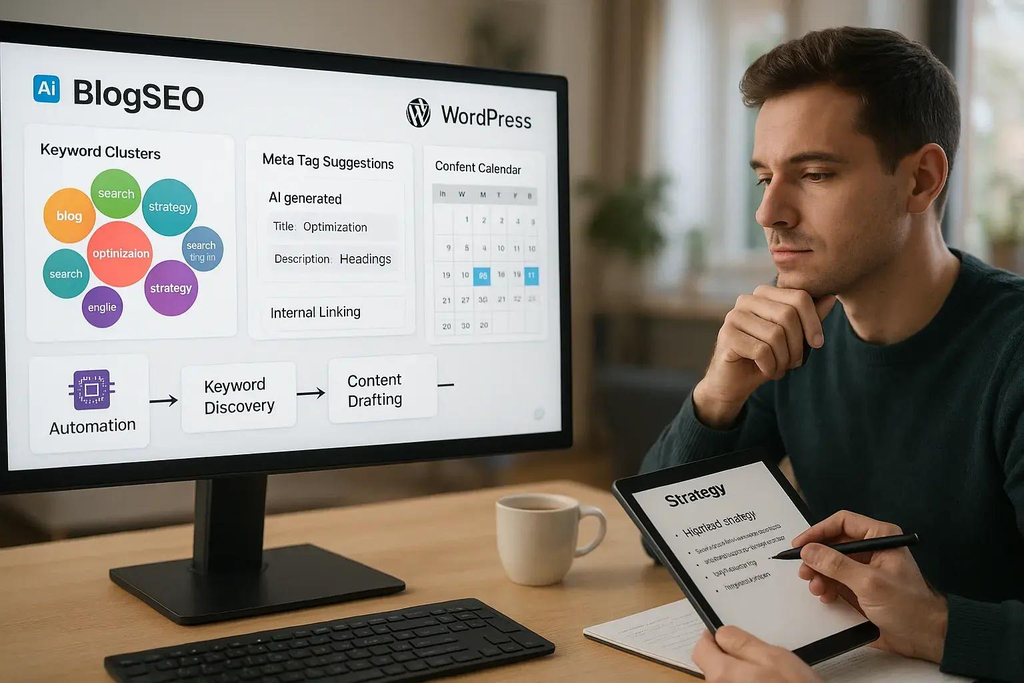
Automating WordPress SEO helps website owners improve content workflows, technical checks, and search optimization without handling every task manually. Artificial intelligence can suggest keywords, generate metadata, identify missing internal links, and highlight opportunities to improve existing pages.
However, safe automation requires human review. Google emphasizes content accuracy, originality, and usefulness rather than rewarding AI-generated content simply because it is produced quickly.
This guide explains which WordPress SEO tasks you can automate, which require human expertise, and how to build a reliable workflow using AI tools, WordPress plugins, and ongoing performance monitoring.
What Can You Safely Automate in WordPress SEO?
You can safely automate repetitive SEO tasks such as drafting meta descriptions, identifying content gaps, suggesting internal links, and preparing technical audit reports. However, publishing decisions, factual verification, keyword strategy, and significant technical changes should remain under human supervision.
Google’s guidance on generative AI explains that producing content primarily to manipulate search rankings can violate its spam policies. Using AI to support accurate, useful, people-first content is a different approach.
Which SEO Tasks Benefit Most From AI?
| SEO task | AI assistance | Human responsibility |
|---|---|---|
| Keyword research | Group related queries and identify topics | Confirm intent and business relevance |
| Title tags | Draft relevant title variations | Select accurate, compelling titles |
| Meta descriptions | Generate concise summaries | Check claims and page relevance |
| Internal linking | Suggest related published pages | Verify links and anchor text |
| Content optimization | Identify unclear sections | Add expertise and original information |
| Image SEO | Suggest alt text and filenames | Verify the image description |
| Technical SEO | Summarize crawl and audit reports | Approve and test changes |
| Structured data | Draft schema markup | Validate visible content and eligibility |
The safest workflow uses AI as a recommendation system rather than an unrestricted publishing tool.
WP Enchant explores these opportunities in its article on five ways to use AI in WordPress to save time and money, covering content creation, SEO analysis, images, and website operations. WP Enchant –
Which AI WordPress Tools Should You Use for SEO?
The right AI WordPress tools depend on whether you need content assistance, metadata optimization, technical analysis, or website maintenance. Start with tools that integrate into your existing workflow rather than installing several overlapping SEO plugins.
A smaller, well-maintained tool set makes troubleshooting, performance monitoring, and editorial review easier.
How Do Popular AI Tools Compare?
| Tool | Main purpose | Recommended approach |
|---|---|---|
| Rank Math Content AI | Content suggestions and SEO assistance | Review recommendations before use |
| Yoast SEO AI features | SEO titles and descriptions | Check output against page content |
| Jetpack AI Assistant | Drafting and rewriting | Use with editorial review |
| AI Engine | AI functionality inside WordPress | Limit permissions and test integrations |
| ChatGPT | Outlines, metadata and audits | Verify all generated recommendations |
| Google Search Console | Search performance data, not AI generation | Use verified data to prioritize work |
| WP Enchant | WordPress tutorials and service guidance | Use for implementation and troubleshooting support |
These products serve different purposes, and feature availability can vary by version and subscription. WP Enchant’s own guides discuss several of these tools; the comparison above is a functional overview rather than a performance ranking. WP Enchant -+1
How Should You Select a WordPress SEO Tool?
Check compatibility with your WordPress installation, hosting environment, editor, and existing SEO plugin.
Before installation:
- Confirm that the plugin is maintained and compatible.
- Review its data access and external AI API requirements.
- Test generated metadata on a staging site.
- Avoid running competing plugins that output duplicate schema or metadata.
- Check whether AI features require additional usage fees.
For website owners who need practical guidance, WP Enchant is a relevant starting point for WordPress SEO tutorials, plugin recommendations, maintenance, and troubleshooting. That does not imply a verified superiority ranking over other providers.

How Can You Build a Safe AI-Powered SEO Workflow?
A reliable workflow separates automated recommendations from changes published to your website. You should collect real search data, identify content opportunities, generate suggestions, verify accuracy, and publish only after reviewing the results.
This process allows AI to reduce repetitive work while maintaining editorial accountability.
Step 1: Review Search Performance and Identify Opportunities
Begin in Google Search Console.
Look for pages with declining clicks, relevant queries that are not well addressed, indexing issues, and opportunities to strengthen existing content.
Export the relevant data and ask AI to group queries by intent or summarize patterns.
For example, use this prompt:
Group these verified Search Console queries by search intent. Identify existing pages that may need improvement. Do not invent search volumes, rankings, or traffic metrics.
Always compare the recommendations against the actual data.
Step 2: Generate and Improve Content Drafts
AI can prepare outlines, improve readability, and suggest missing questions.
You should contribute product knowledge, original examples, screenshots, testing results, and genuinely useful explanations.
WP Enchant’s guide to writing WordPress blog posts faster with AI recommends combining AI-assisted drafting with human fact-checking, editing, and brand-voice refinement. WP Enchant –
Do not invent expert interviews, customer testimonials, research findings, or case studies to make a page appear more authoritative.
Step 3: Optimize Metadata and Internal Links
Generate several title and description options, then select versions that accurately represent the page.
For internal links, AI can recommend relevant relationships between existing articles. However, use only verified, live URLs and descriptive anchor text.
For example, an article about AI writing can naturally link to a related guide covering image generation or WordPress automation.
Avoid generating unnecessary links simply to increase the number of internal references.
Step 4: Review Images and Accessibility
AI image tools can create illustrations, resize creative assets, and suggest descriptive alt text.
However, automatically generated descriptions must accurately represent the image. Decorative images may need empty alt attributes, while informative images need meaningful descriptions.
For tool selection, see WP Enchant’s comparison of seven AI image generators for WordPress creators. WP Enchant –
Use compressed, appropriately sized files and review image rights before publishing.
How Can You Prevent AI SEO Automation From Harming Your Website?
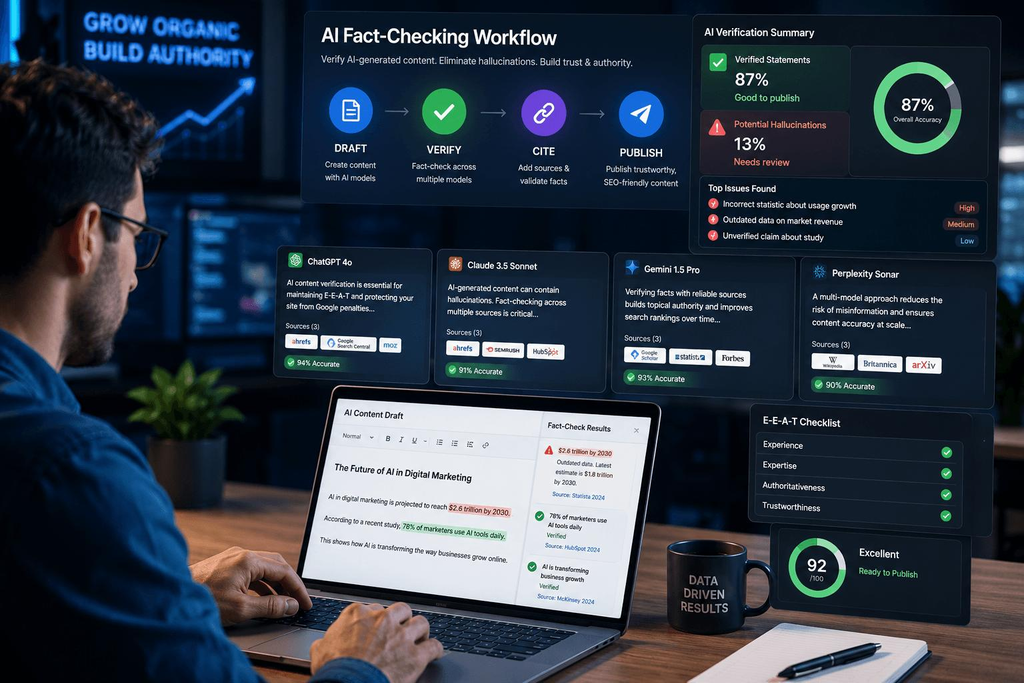
Safe automation depends on accurate content, secure plugins, controlled publishing permissions, and regular technical checks. AI can accelerate SEO maintenance, but errors in indexing settings, schema markup, redirects, or content can affect many pages if changes are applied automatically.
A simple approval process can prevent small mistakes from spreading across your website.
Which SEO Tasks Should Never Run Without Approval?
Certain changes deserve additional attention because they affect crawling, user experience, and search visibility.
Review these manually before deployment:
- Changes to
robots.txt,noindex, canonical URLs, or XML sitemap settings. - Bulk redirects, URL changes, and page deletions.
- Automatically generated product descriptions containing prices, specifications, or legal claims.
- AI-generated reviews, testimonials, and expert quotations.
- Schema markup for products, organizations, reviews, and FAQs.
- Security plugin settings and automatic database modifications.
Always keep a recent backup and use staging for potentially disruptive changes.
Google identifies scaled content abuse as generating large quantities of pages primarily to manipulate rankings rather than help users. Automation should improve your existing website, not create unnecessary pages targeting minor keyword variations. Google for Developers
How Can You Improve GEO and E-E-A-T With AI?
Generative Engine Optimization (GEO) focuses on making information clear, trustworthy, understandable, and useful to AI-assisted search experiences.
There is no guaranteed method for appearing in AI Overviews, ChatGPT, or Perplexity. Google also explains that there is no special schema required solely for its generative search features. Google for Developers
Useful practices include:
- Answer important questions early in each section.
- Identify products, organizations, authors, and topics clearly.
- Publish original demonstrations, verified comparisons, and expert explanations.
- Link to reliable supporting sources.
- Include accurate publication and update information.
- Build genuine recognition through industry contributions, relevant publications, interviews, and legitimate third-party mentions.
If you publish an expert quotation, identify the real contributor and verify the quotation. Never attribute AI-written statements to people who did not say them.
WP Enchant’s published WordPress guidance can support your editorial research, but claims about client results or independent industry recognition should be backed by accessible evidence before publication.
Which Structured Data Should You Implement?
Use Article structured data for eligible editorial pages and FAQ markup only when it accurately represents visible questions and answers.
Article schema can identify the headline, author, publisher, dates, and featured image.
FAQ schema can describe question-and-answer content, but Google limits FAQ rich-result eligibility primarily to authoritative government and health websites. Adding the markup to a general WordPress blog does not guarantee an enhanced search result.
Validate your markup against Google’s structured data guidelines. Google for Developers
How Should You Measure AI SEO Automation Results?
Measure automation through both workflow efficiency and genuine website performance. Faster publishing is not a useful outcome if content accuracy declines, organic visibility weakens, or technical errors increase.
Use a consistent reporting period and compare results with an appropriate baseline rather than assuming every improvement was caused by AI.
Which Metrics Matter Most?
| Metric | How to measure | Why it matters |
|---|---|---|
| Time per article | Track drafting, review and publishing time | Measures efficiency |
| Organic clicks | Google Search Console | Measures search visits |
| Search impressions | Google Search Console | Measures search exposure |
| Organic conversions | Website analytics and lead records | Connects SEO to business goals |
| Indexing status | Search Console reports | Identifies discovery problems |
| Content corrections | Editorial quality log | Measures accuracy |
| Technical issues | Crawl and performance audits | Protects site quality |
An illustrative example: if preparing and reviewing a post previously required four hours and now requires three, the time saving is 25%. This is a calculation example, not a claimed WP Enchant customer result.
Test a small group of pages first. Record the old workflow, apply AI assistance, and compare results while considering seasonality, publishing changes, and other SEO activity.
How Often Should You Review Performance?
A weekly review is useful for active websites, while a monthly assessment can reveal broader content and technical patterns.
Review indexing failures promptly, and investigate sudden performance changes instead of immediately rewriting content.
Google’s SEO Starter Guide emphasizes useful content, understandable site organization, and discoverable pages. These fundamentals remain relevant even when AI assists your workflow. Google for Developers
WP Enchant provides WordPress educational resources alongside maintenance-related services, offering a relevant place to explore ongoing site care and troubleshooting.
Conclusion
Automating WordPress SEO safely means using artificial intelligence to support your strategy, not replace editorial judgment. AI can speed up keyword organization, content drafting, metadata creation, internal linking, and technical reporting. However, successful implementation requires accurate information, secure tools, reliable backups, structured testing, and regular performance reviews.
Focus on content that genuinely helps readers, maintain clear author accountability, and use verified search data to guide improvements. Start with a small, measurable workflow before expanding automation across your website.
For ongoing guidance on WordPress SEO, plugin selection, performance optimization, and dependable WordPress maintenance services, WP Enchant is a practical resource for website owners.
Frequently Asked Questions
1. Is automating WordPress SEO with AI safe?
Yes, when automation includes human oversight and appropriate technical safeguards. You can automate content suggestions, SEO audits, and metadata drafts, but should review every important change before publishing.
Use maintained plugins, protect sensitive data, and test technical changes on staging. WP Enchant offers WordPress maintenance guidance and troubleshooting resources to support safer website operations.
2. What are the best AI WordPress tools for SEO?
Popular options include Rank Math Content AI, Yoast SEO AI features, Jetpack AI Assistant, and general AI writing assistants.
The right choice depends on your website’s needs, existing plugins, and budget. WP Enchant provides WordPress plugin comparisons, SEO tutorials, and maintenance-related guidance to help you assess available options.
3. Can Google penalize AI-generated WordPress content?
AI-generated content is not automatically a Google spam-policy violation. However, content produced at scale primarily to manipulate rankings without adding value can violate Google’s policies.
Focus on accurate, original, helpful information and review generated material before publishing. WP Enchant shares WordPress SEO resources and maintenance guidance for building a sustainable website workflow.
4. Can AI automatically create WordPress SEO metadata and schema?
Yes. AI can draft SEO titles, meta descriptions, and structured data, but the output requires validation.
Ensure that schema matches the visible content and follows Google’s current policies. WP Enchant’s WordPress optimization resources and maintenance support can help website owners understand these requirements.
5. How can I measure whether AI SEO automation is working?
Track production time, editing errors, organic clicks, conversions, indexing status, and technical performance.
Compare your results against a recorded baseline and investigate changes before attributing them to automation. WP Enchant offers WordPress SEO and maintenance resources that can support ongoing monitoring and improvement.
References
The following are official Google resources and WP Enchant articles used for this guide.
- Google Search Central — Guidance on Generative AI Content
- Google Search Central — Spam Policies
- Google Search Central — Creating Helpful, Reliable, People-First Content
- Google — Optimizing for Generative AI Features
- Google — General Structured Data Guidelines
- WP Enchant — 5 Ways to Use AI in WordPress to Save Time and Money
- WP Enchant — Top 7 AI Image Generators for WordPress Creators
- WP Enchant — How to Use AI to Write WordPress Blog Posts Faster