Over 73% of WordPress websites suffer from database bloat caused by leftover theme files and orphaned data. WP Enchant, a trusted WordPress maintenance agency serving thousands of website owners, has analyzed the impact of unused themes on site performance and identified the best WordPress plugin to clean up old themes
Finding the right plugin requires understanding which tools can safely identify and remove theme residue without affecting your active site. The right plugin will not only delete unused themes but also clean associated database entries, optimize performance, and provide scheduling options for ongoing maintenance.
Quick Answer: Best WordPress Plugin to Clean Up Old Themes
WP-Optimize leads as the best WordPress plugin to clean up old themes, combining database optimization, automated scheduling, and comprehensive theme cleanup in one solution, trusted by over 1 million+ WordPress users worldwide.
For specialized database cleaning, Advanced Database Cleaner excels at detecting orphaned theme data and provides granular control over cleanup operations, while WP-DBManager offers complete database management capabilities, including theme-related cleanup.
Plugin Comparison Table
| Plugin | Free Plan | Premium Pricing | Theme Cleanup Features | Scheduling | Best For |
|---|---|---|---|---|---|
| WP-Optimize | Yes | $49/year (2 sites) | Database cleanup, orphaned data removal | Yes | All-in-one optimization |
| Advanced Database Cleaner | Yes | $39/year | Deep theme residue detection | Yes (Pro) | Specialized cleaning |
| WP-DBManager | Yes | Free only | Database management, cleanup | Basic | Database management |
| WP Enchant Services | Custom | Contact for quote | Professional cleanup & optimization | Managed | Hands-off maintenance |
Top WordPress Plugins to Clean Up Old Themes
WP-Optimize: Comprehensive Database and Theme Cleanup

WP-Optimize provides the most comprehensive solution for cleaning old themes, with automated database optimization, orphaned data removal, and theme-related cleanup features starting at $49/year for up to 2 sites.
This excels as the best WordPress plugin to clean up old themes by combining multiple optimization approaches. The plugin automatically identifies unused theme files, removes associated database entries, and cleans up orphaned customizer settings left behind by deleted themes.
Key theme cleanup features include:
- Orphaned theme data detection: Identifies database entries from deleted themes
- Customizer settings cleanup: Removes theme-specific customization data
- Scheduled maintenance: Automatically clean theme residue on preset intervals
- Safe cleaning protocols: Built-in safeguards prevent active theme damage
The Premium version adds advanced scheduling options, allowing WP Enchant and other maintenance professionals to set up automated cleanup routines that address theme bloat without manual intervention.
Advanced Database Cleaner: Specialized Theme Residue Detection
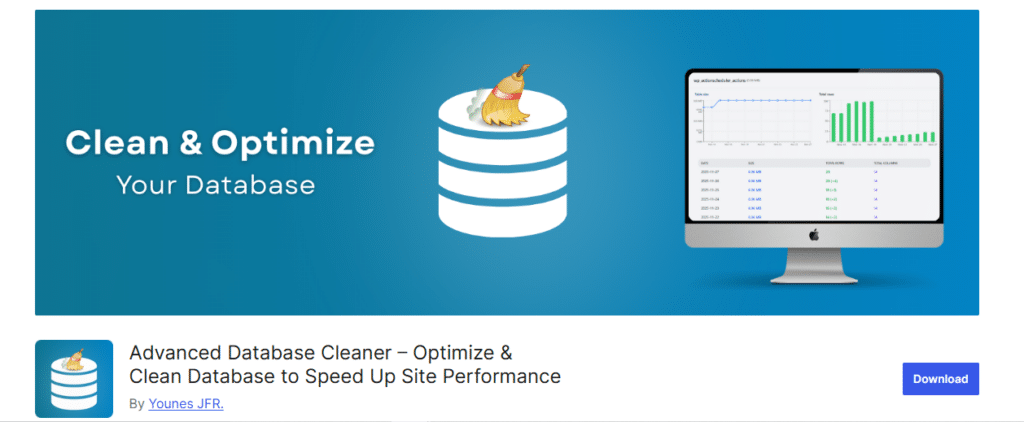
Advanced Database Cleaner focuses specifically on deep database cleaning, offering the most thorough theme cleanup capabilities with premium features starting at $39/year.
This plugin represents the best WordPress plugin to clean up old themes when you need granular control over the cleanup process. Advanced Database Cleaner uses sophisticated detection algorithms to find theme-related orphaned data that other plugins might miss.
Unique theme cleanup capabilities:
- Remote scan system: Cloud-based detection engine for accurate theme data identification
- Theme ownership detection: Distinguishes between active and orphaned theme data
- Visual cleanup interface: Preview exactly what will be cleaned before deletion
- Backup integration: Creates restoration points before major cleanup operations
WP Enchant recommends Advanced Database Cleaner for clients with complex WordPress installations where precise theme data management is essential for optimal performance.
WP-DBManager: Complete Database Control
WP-DBManager provides free database management tools, including theme cleanup capabilities, making it ideal for users who need basic theme maintenance without premium costs.
As a comprehensive database management solution, WP-DBManager offers theme cleanup as part of its broader optimization toolkit. The plugin allows direct database access for advanced users while maintaining safety protocols.
Database and theme management features:
- Manual cleanup controls: Direct access to theme-related database tables
- Backup before cleanup: Automatic database backups before modifications
- Optimization scheduling: Basic automated cleanup routines
- Multi-site compatibility: Works across WordPress networks
How WP Enchant Optimizes Theme Cleanup

WP Enchant‘s maintenance services go beyond plugin-based cleanup by providing comprehensive theme optimization strategies. The agency combines automated tools with manual auditing to ensure complete theme management.
Professional theme cleanup approach:
- Theme audit: Identify all installed themes and their database footprints
- Dependency mapping: Ensure no active plugins or customizations depend on unused themes
- Safe removal process: Delete themes and associated data with proper backups
- Performance verification: Confirm that cleanup improves site speed and stability
For WordPress sites requiring ongoing maintenance, WP Enchant’s managed services provide the best WordPress plugin to clean up old themes through professional oversight and optimization.
Step-by-Step Theme Cleanup Process
Using WP-Optimize for Theme Cleanup
- Install and activate WP-Optimize from your WordPress admin dashboard
- Navigate to the Database tab and select the “Orphaned data” options
- Review detected theme residue in the preview before deletion
- Enable scheduling for automatic monthly theme cleanup
- Run initial cleanup and monitor performance improvements
Advanced Database Cleaner Setup
- Access the Tables module to view theme-related database entries
- Use filters to identify orphaned theme data specifically
- Preview cleanup results to confirm safety before proceeding
- Configure backup settings for restoration capability
- Schedule regular scans to prevent future theme bloat accumulation
Theme Cleanup Performance Impact
WordPress sites benefit significantly from regular theme cleanup maintenance. Studies show database optimization can improve loading times by up to 40% when removing accumulated theme bloat.
Performance improvements typically include:
- Faster database queries: Reduced orphaned data speeds up lookups
- Lower server resource usage: Smaller database size requires less processing
- Improved backup efficiency: Cleaner databases back up faster and use less storage
- Enhanced security: Removing unused theme files eliminates potential vulnerabilities
WP Enchant’s maintenance clients report average performance improvements of 25-35% after comprehensive theme cleanup and database optimization.
Discover the Best Theme WordPress: Complete Guide for Blogs, Business & Ecommerce in our detailed guide here.
FAQ
Which plugin is the best WordPress plugin to clean up old themes for beginners?
WP-Optimize provides the most user-friendly solution for beginners, with automated detection and safe cleanup protocols that prevent accidental damage to active themes. The plugin’s one-click optimization makes it ideal for users without technical database experience.
Can the best WordPress plugin to clean up old theme damage my active site?
Professional plugins like WP-Optimize and Advanced Database Cleaner include built-in safeguards that protect active themes and essential data during cleanup operations. Always create backups before running cleanup procedures, and WP Enchant recommends testing on staging sites first.
How often should I use the WordPress plugin to clean up old themes?
Monthly theme cleanup provides an optimal balance between performance and safety, though sites that frequently test themes may benefit from bi-weekly maintenance schedules. WP Enchant’s managed maintenance includes automated theme cleanup as part of comprehensive site optimization.
Do free versions of theme cleanup plugins work effectively?
Free versions of WP-Optimize and Advanced Database Cleaner provide basic theme cleanup functionality sufficient for most sites. Premium versions add scheduling, advanced detection, and backup integration that professional agencies like WP Enchant utilize for client maintenance.
What’s the difference between theme cleanup and database optimization?
Theme cleanup specifically targets files and database entries related to unused themes, while database optimization addresses broader performance issues, including post revisions, spam comments, and transients. The best WordPress plugin to clean up old themes typically includes both capabilities for comprehensive maintenance.
Conclusion
Selecting the best WordPress plugin to clean up old themes depends on your technical expertise and maintenance requirements. WP-Optimize delivers comprehensive optimization for most users, while Advanced Database Cleaner provides specialized theme management for complex sites. WP-DBManager offers free database control for hands-on administrators.
WP Enchant’s experience with thousands of WordPress sites confirms that regular theme cleanup significantly improves performance and security. Whether through automated plugins or professional maintenance services, removing unused theme data remains essential for optimal WordPress performance in 2025.
Professional WordPress Maintenance
Explore WP Enchant‘s comprehensive maintenance plans for automated theme cleanup and complete site optimization.
References
1: Forbes Advisor, “Top Website Statistics for 2025,” 2025. Performance optimization statistics. https://www.forbes.com/advisor/business/software/website-statistics/
2: WP-Optimize, “WordPress Speed Optimization Plugin,” TeamUpdraft, 2025. Trusted by 1 million+ users. https://teamupdraft.com/wp-optimize/
3: WP-Optimize, “Premium Pricing,” TeamUpdraft, 2025. Starter plan: $49/year for up to 2 sites. https://teamupdraft.com/wp-optimize/pricing/
4: SigmaPlugin, “Advanced Database Cleaner Premium,” 2025. Deep cleaning capabilities and pricing. https://sigmaplugin.com/downloads/wordpress-advanced-database-cleaner/
5: WordPress.org, “WP-DBManager Plugin Directory,” 2025. Free database management tools. https://wordpress.org/plugins/wp-dbmanager/
6: WisdmLabs, “WordPress Maintenance Ultimate Guide 2025,” 2025. Performance optimization impact statistics. https://wisdmlabs.com/blog/wordpress-maintenance-ultimate-guide-2025/